



Image Compressor
Compress and optimize JPG, PNG, and WebP images in your browser using the same encoders desktop optimization tools use. Reduce image file size without visible quality loss — your files never leave your device.
Settings
Keeps each file in its original format. MozJPEG — best for photos. libwebp — smallest files, broad support. OxiPNG — lossless optimization, best for graphics.
Lower = smaller files. 75 is a good default for JPEG and WebP.
0 files
All compression happens locally in your browser. Nothing is uploaded.
Benefits
The case for optimizing every image
Smaller images aren't just nice to have — image optimization is a measurable lift across page speed, SEO rankings, and spend.
Pages load faster
Images are usually 50–70% of total page weight. Halving image size often halves load time on real-world connections, especially on mobile.
Better Core Web Vitals
Largest Contentful Paint is almost always an image. Compressing your hero shaves seconds off LCP — a direct Google ranking signal since 2021.
Higher search rankings
Page speed feeds directly into Google’s ranking algorithms. Fast-loading pages outrank slow competitors on identical content.
Lower bounce rate
Google found that bounce probability rises 32% when load time goes from 1s to 3s, and 90% from 1s to 5s. Smaller images keep visitors on the page.
More conversions
Walmart found a 2% conversion lift for every 1s of load-time improvement. Amazon estimates each 100 ms of latency costs them 1% in sales.
Lower bandwidth costs
If you serve images from a CDN or cloud bucket, every megabyte costs money. A 70% reduction in image size means a 70% reduction in egress bills.
Mobile-friendly by default
Most of your traffic is on cellular. Compressed images load reliably on 3G/4G in places where uncompressed assets time out and fail.
Greener emails and ads
Email clients and ad networks impose strict size limits. Compressing keeps creatives under thresholds without sacrificing visual fidelity.
Smaller carbon footprint
Every byte transferred runs through routers, servers, and screens that consume energy. Lighter pages are measurably greener — at scale, by a lot.
Understand
How this compressor works
Most online image optimizers upload your file to a server, run a CLI tool like cjpeg, cwebp, or oxipng, and send the result back. We run those exact same encoders — compiled to WebAssembly — directly inside your browser tab. The optimized output is bit-for-bit identical to what the desktop versions produce at the same settings, whether you're compressing photos for the web, shrinking screenshots for docs, or reducing image file sizes for email.
Because nothing is uploaded, your photos, screenshots, and product shots stay private. There's no rate limit, no waiting in a server queue, and no cookie banner asking you to accept terms before you can optimize a single file. And if an image is already fully optimized, we tell you and keep the original — you'll never download a file that's bigger than the one you dropped in.
FAQ
Frequently asked questions
Is this image compressor free?
Yes — completely free, with no signup, no watermarks, and no daily limits. All compression runs in your browser, so there's no server cost for us to recoup.
Are my images uploaded to a server?
No. The encoders (MozJPEG, libwebp, OxiPNG) are compiled to WebAssembly and run locally in your browser tab. Your files never leave your device.
How much smaller will my images get?
Photos saved as JPEG or WebP typically shrink 50–80% at the default quality of 75 with no visible difference. PNG optimization is lossless, so savings depend on how well the source was optimized — typically 10–40%.
What image formats are supported?
JPG, PNG, WebP, and AVIF as input, up to 25 MB per file. You can keep the original format or convert between JPEG, WebP, and PNG.
Can the compressed file ever be bigger than the original?
No. If an image is already fully optimized, the tool keeps your original file and labels it “Already optimized” — the output is never larger than the input.
Which image format is best for the web?
WebP usually gives the smallest files with broad browser support. Use JPEG for maximum compatibility with photos, and PNG when you need lossless quality for graphics, screenshots, or images with sharp text.
Tools
More marketing tools
Tools and content carefully crafted by Hire Digital especially for you
Marketing
PDF Compressor
Compress and optimize PDFs in your browser by recompressing embedded images with MozJPEG. Reduce PDF file size for scans, presentations, and image-heavy documents. Files never leave your device.
Design
QR Code Generator
Generate clean, scannable SVG QR codes from any URL or text. Add a logo, customize colors, eyes, and module shape, then download as SVG or PNG.

SEO
Rich Results Preview & Schema Validator
Paste JSON-LD or page HTML and see live SERP rich-result previews for Article, Product, FAQ, Recipe, Event, Video, JobPosting, and more — with full Schema.org validation.
SEO
llms.txt Generator
Generate an llms.txt file for your site — the Markdown index that tells ChatGPT, Claude, and Perplexity what your pages are. Crawls your sitemap and builds a clean index from your real page metadata.
SEO
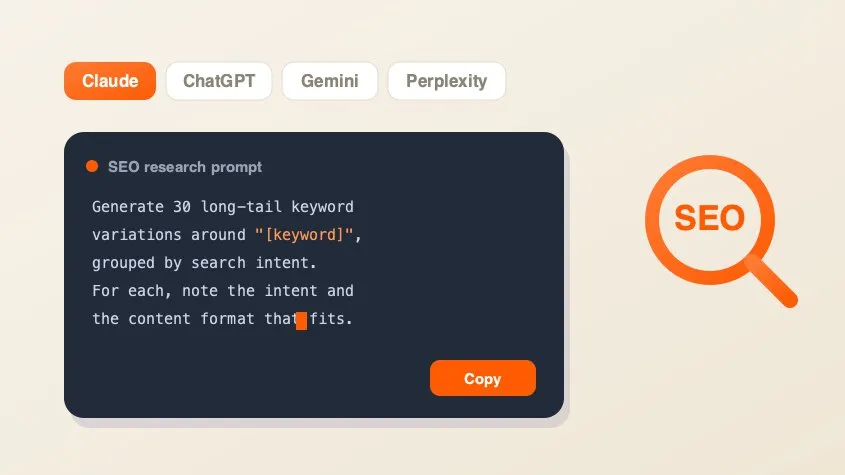
SEO AI Prompt Cheatsheet
A free library of copy-paste AI prompts for SEO research — keyword research, search intent, content briefs, competitor gaps, and metadata. Tailored for Claude, ChatGPT, Gemini, Perplexity, or Grok and filled with your keyword.
Marketing
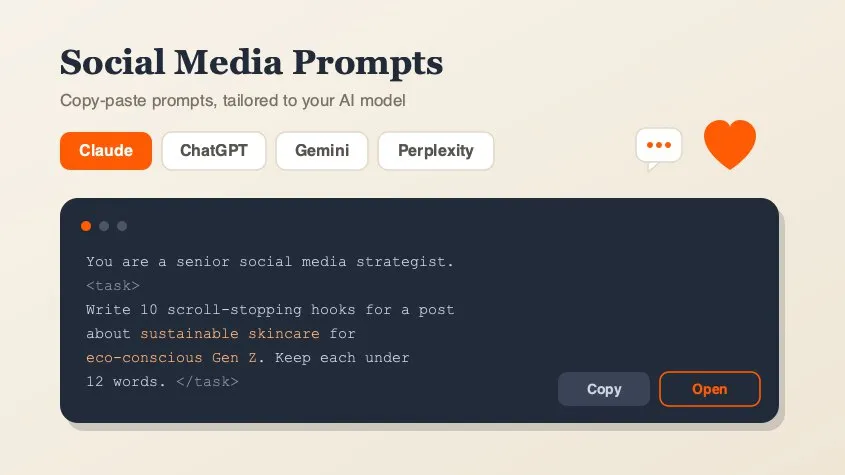
Social Media Marketing Prompt Generator
A free library of copy-paste AI prompts for social media marketing — post ideas, hooks, captions, hashtags, platform playbooks, content calendars, ad copy, analytics, and workflow loops. Tailored for Claude, ChatGPT, Gemini, Perplexity, or Grok and filled with your topic. Open any prompt in your AI tool in one click.
Design
Background Remover
Remove backgrounds from photos using an on-device AI model. Drop in a JPG, PNG, or WebP and get a transparent cutout in seconds. Nothing is uploaded.
Marketing
PDF Merger
Merge and combine multiple PDF files into one document, right in your browser. Reorder files before merging — lossless quality, no upload, no signup, no watermarks.